How to fix Windows 10/11 Update Error Code 0x80070020
Windows Update Error Code 0x80070020: Error Code 0x80070020 is a Windows operating system error that typically appears during a Windows 10/11 update. This error often indicates a file locking violation, which occurs when attempting to read, write, or delete a file or folder that is currently in use by another program or process.
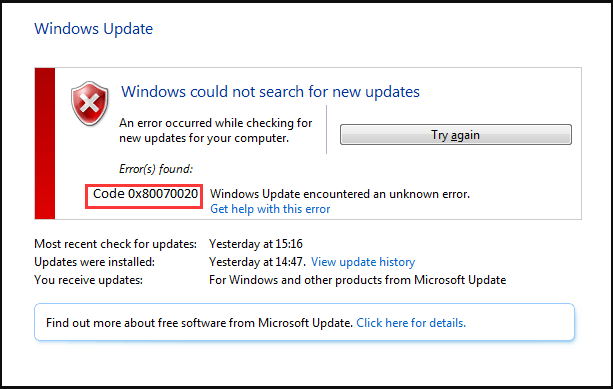
Understanding Windows Update Error Code 0x80070020
Error Code 0x80070020 can occur when trying to perform a Windows update, indicating that a file or folder is locked by another process. This error can prevent successful installation or updates from completing.
About Windows Update Error Code 0x80070020:
Reasons for Windows Update Error Code 0x80070020
The Error Code 0x80070020 can have several causes related to file locking, permissions, and system errors.
Potential Causes:
- Antivirus or Anti-Malware Software: These programs may lock files for security reasons, preventing other applications from accessing them.
- File in Use by Another Process: The file you are trying to access might be locked by another program or process.
- Permissions Issues: You may lack the necessary permissions to access or modify the file.
- windows-update-troubleshooter/”>Hard Drive Errors: Corruption or errors on your hard drive can also cause this issue.
- Windows Update Problems: A malfunction in Windows Update services can result in this error code during updates.
Troubleshooting to Fix Windows Update Error Code 0x80070020
Follow these steps to resolve Error Code 0x80070020 during a Windows update:
Steps to Fix the Error:
- Temporarily Disable Antivirus Software: Disable your antivirus program, as it may be locking essential files.
- Close Other Programs: Ensure no other programs are using the files or folders involved in the update.
- Check Permissions: Run the update as an administrator or change file permissions if necessary.
- Run a Disk Check: Scan and repair any errors on your hard drive that may be causing this issue.
- Restart Windows Update Services: Reset and restart the Windows Update services through Command Prompt.
Advanced Solutions for Windows Update Error Code 0x80070020
Scan for System Errors:

- SFC Scan: Run the System File Checker (sfc/scannow) to repair corrupted files.
- DISM Scan: Use the Deployment Imaging Service and Management (DISM) tool for more advanced repairs.
Remove SoftwareDistribution Folder Contents:
- Navigate to C:\Windows\SoftwareDistribution and delete the folder’s contents to clear stuck update files.
Disable Windows Defender and Antivirus Protection:
- Temporarily turn off real-time protection in both your antivirus software and Windows Defender to allow updates to complete.

Comments
Post a Comment